SERP Checker
This app runs on Streamlit Cloud and may fall asleep when inactive. If the screen looks dark, click the blue button to wake it up.
What It Does
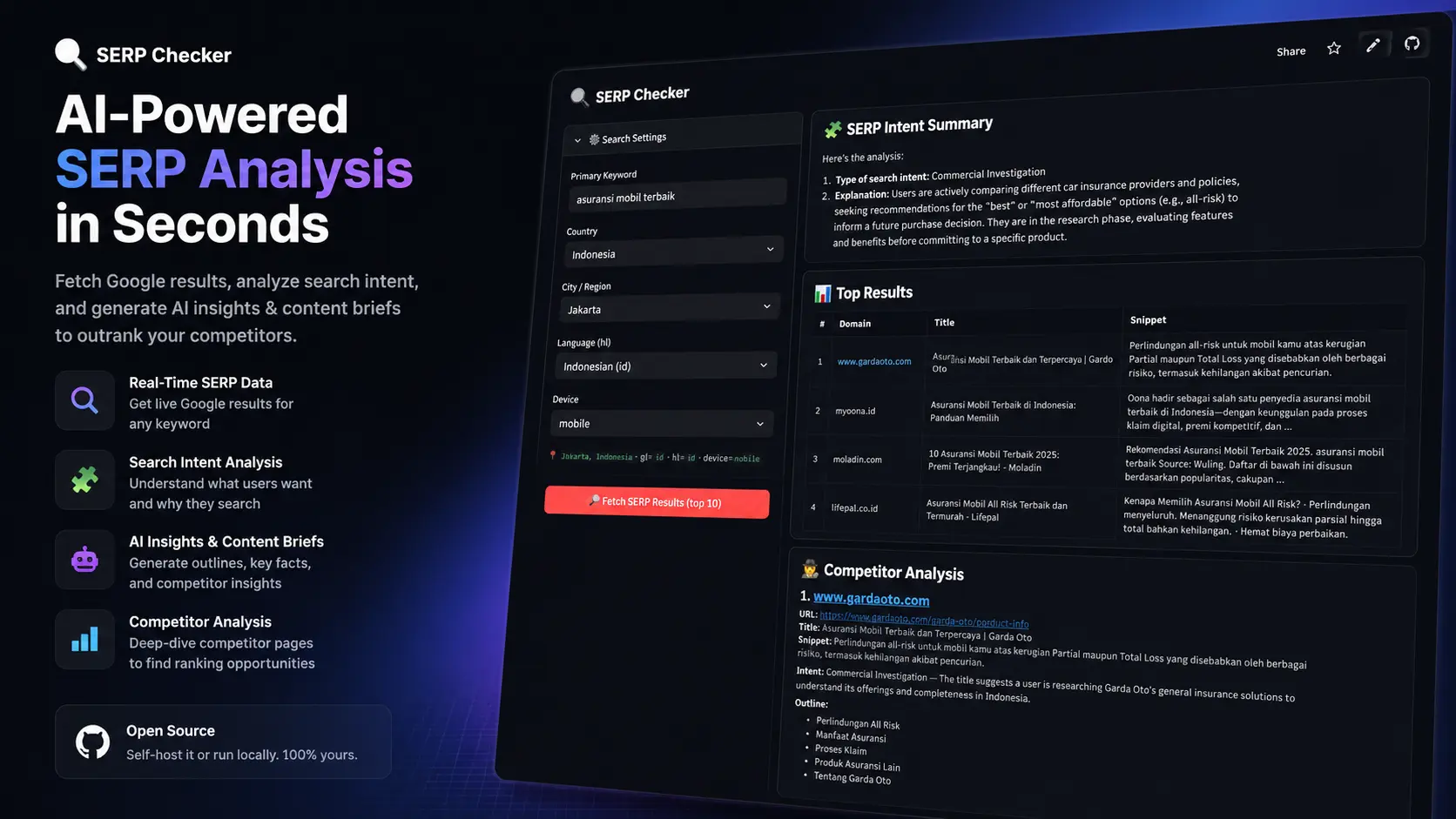
SERP Checker lets you analyse Google search results for any keyword — geo-targeted to your country, city, and language of choice. It goes beyond just showing who ranks: it scrapes each competitor page and uses AI to extract the outline, search intent, and key facts you’d actually use when writing.
All AI tasks run through a single completion layer with three-tier fallback:
- Gemini 2.5 Flash (primary) — free tier, handles most requests
- OpenAI GPT-4o-mini (fallback 1) — kicks in if Gemini fails for any reason
- Anthropic Claude Haiku (fallback 2) — last resort if OpenAI quota is exhausted
You only need a Gemini key to get started — it’s free. OpenAI and Anthropic are optional but recommended for redundancy.
How to Use
- Enter your keyword and set country, city, language, and device
- Fetch top 10 results — each URL is pinged so you know which ones are scrapable
- Pick the URLs you want to deep-analyse (default: first 4 non-blocked results)
- Run analysis — the tool scrapes each page and sends it to GPT-4o-mini for structured extraction
What You Get
- SERP intent summary — dominant search intent across all selected results (powered by Claude)
- Per-page outline — H1, H2, H3 headings extracted from each competitor
- Search intent — informational, transactional, commercial investigation, or navigational
- Key facts — 3 specific, factual bullet points per page (names, numbers, features — no fluff)
- Export — download as CSV or Markdown report
Requirements
You need three API keys to run this tool:
| Key | Role | Free Tier |
|---|---|---|
| Serper.dev | Google SERP data | ✅ 2,500 free searches |
| Google AI Studio | AI analysis — primary | ✅ Free (Gemini 2.5 Flash) |
| OpenAI | AI analysis — fallback 1 | 💳 Pay-as-you-go |
| Anthropic | AI analysis — fallback 2 | 💳 Pay-as-you-go |
The minimum setup is SERPER_API_KEY + GEMINI_API_KEY. The paid keys are optional backups.
Run It Locally
Paste this prompt into Claude Code, OpenCode, or Codex — let the AI handle the setup:
Clone https://github.com/syahidmid/serp-checker.git, install dependencies from requirements.txt, copy .streamlit/secrets.toml.example to .streamlit/secrets.toml, then ask me for the API keys and fill them in. Once done, run the app with `streamlit run app.py`.
Tech Stack
Streamlit · Serper.dev · OpenAI GPT-4o-mini · Anthropic Claude · markdownify · pycountry · geonamescache